I’ve been working on this portfolio website for almost a year. The very first commit was on the 15 August 2024. This has been a long time coming, and I’m truly happy to have finally finished it. The first draft and the final version are actually two completely different websites, and it’s shocking to see the contrast and differences between them. Here is the first draft:
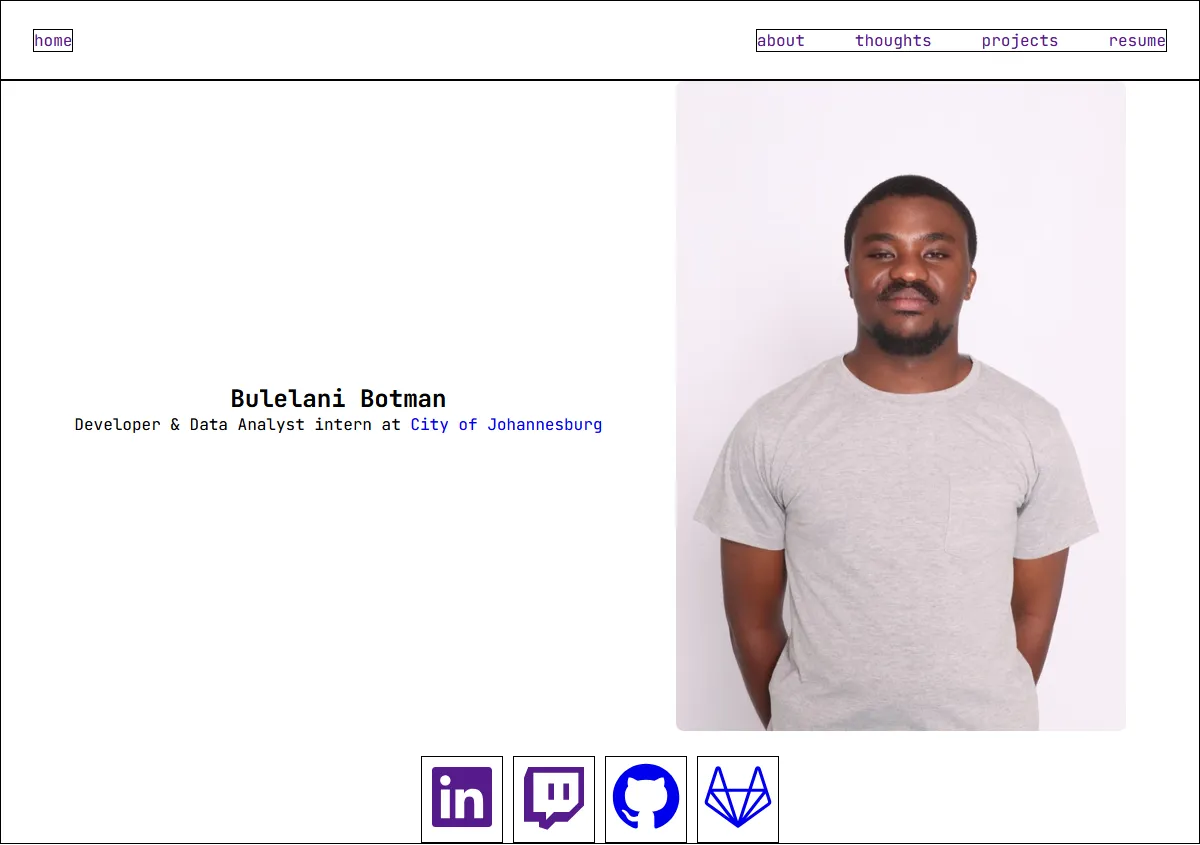 The first draft of my portfolio website
From a design perspective, it hasn’t changed much, but there has been a lot of refining and tweaking to make this final version. The website takes a lot of inspiration from Shawn Farsai’s website. Its minimalistic design approach and the choices of colour resonated with me. I also added a few things from other websites I drew inspiration from and my own ideas too. If you want to see the second half of the journey, I have a YouTube playlist of my streams when I was finishing the portfolio & also the GitHub repo to get the source code to the website template.
The Core Stack
Here is the list of the technologies I used:
- Astro – A web framework for content-driven sites.
- Tailwind CSS – A utility-first CSS framework.
- Markdown – For writing blog posts and content.
- TypeScript – For logic where needed.
- Vercel – For deployment and hosting.
Why I Chose Astro
I came from a background where I had no React knowledge. After hearing that Astro had the exact component-based architecture, and also that it renders every UI component to just HTML and CSS, I believed that building using Astro would be beneficial. This was also a learning opportunity for myself to get introduced to the component-based architecture pushed by React, which would, in turn, help me take the leap to React more easily. Astro also had a lot of improvements and features being shipped whenever I came across a new blog post from the team, and that instilled a lot of confidence in me.
The setup process was quite simple, and their blog tutorial helped a lot:
npm create astro@latestThen follow all the steps and you are all good to go.
Content Management & CMS
For my blog posts, Astro’s built-in support for Markdown was perfect. I could write my Markdown blog posts with frontmatter for metadata.
To help facilitate my content management, I chose Front Matter CMS. It was the easiest CMS to configure, and I also loved the fact that it is a VS Code extension.
I was initially struggling to choose which CMS I should go for. My first choice was PayloadCMS, but all I could see was a configuration nightmare, and I was not trying to make the process of building my portfolio website a hard and gruelling one. It was also clear that their main focus was actually support for Next.js, which really demotivated me. The whole process of configuring a database and user logins was the final nail in the coffin.
Styling with Tailwind CSS
This was my first ever introduction to Tailwind. I distinctly chose to move away from pure CSS to Tailwind, as everyone seemed to be using it. The learning curve was pretty straightforward because once it clicked, I cannot see myself writing CSS ever again.
Styling your components using the Tailwind CSS classes felt like just using your own defined classes in your .css file. The documentation helped me a lot in understanding how it works, how to actually use it, and where not to use it.
Integrating Tailwind was seamless. Astro’s integration handled all the configuration automatically:
npx astro add tailwindThe learning curve:
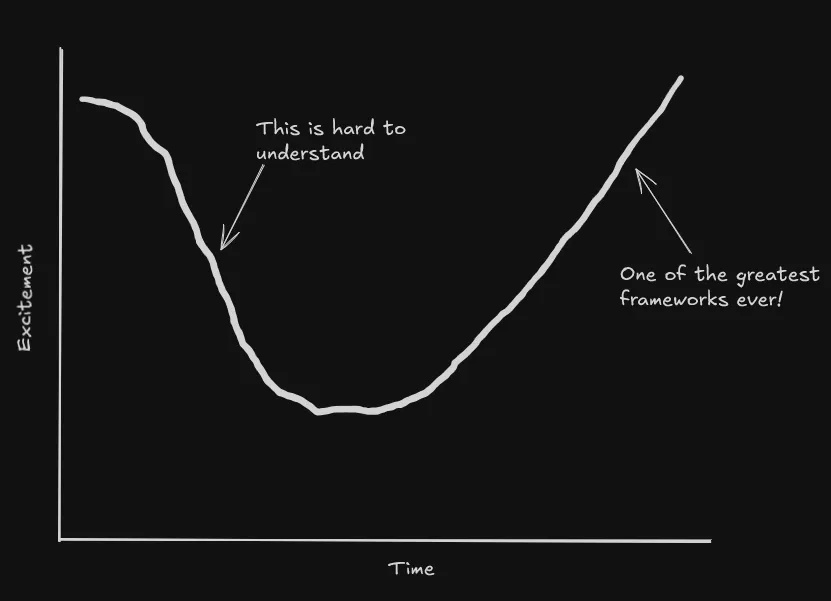 The learning was actually like this
Deployment and Hosting
Deploying to Vercel was straightforward. The Astro documentation was simple and easy to understand, but honestly, there is no need to add the Vercel Adapter unless you’re doing some Web Analytics with Vercel or something along those lines. I lastly connected my domain to my website following the documentation from Vercel, and everything was perfect.
Final Thoughts
Astro has become my go-to choice for content-focused websites. If you’re considering Astro for your next project, I’d highly recommend giving it a try. The learning curve is gentle, the documentation is excellent, and the results speak for themselves.
Last updated date on 22:31:09 30 September 2025 UTC